
Creating Wallet Passes with AddToWallet Zapier Zap
1) In Zapier, select AddToWallet from the actions.
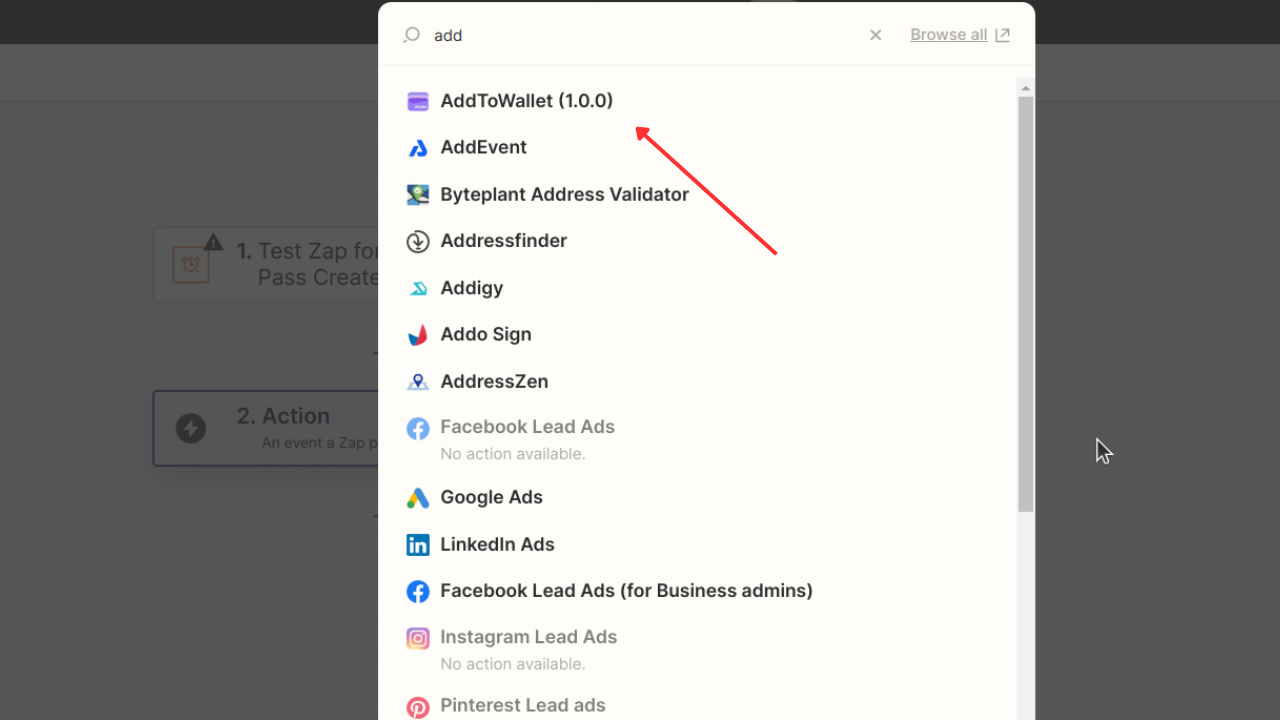
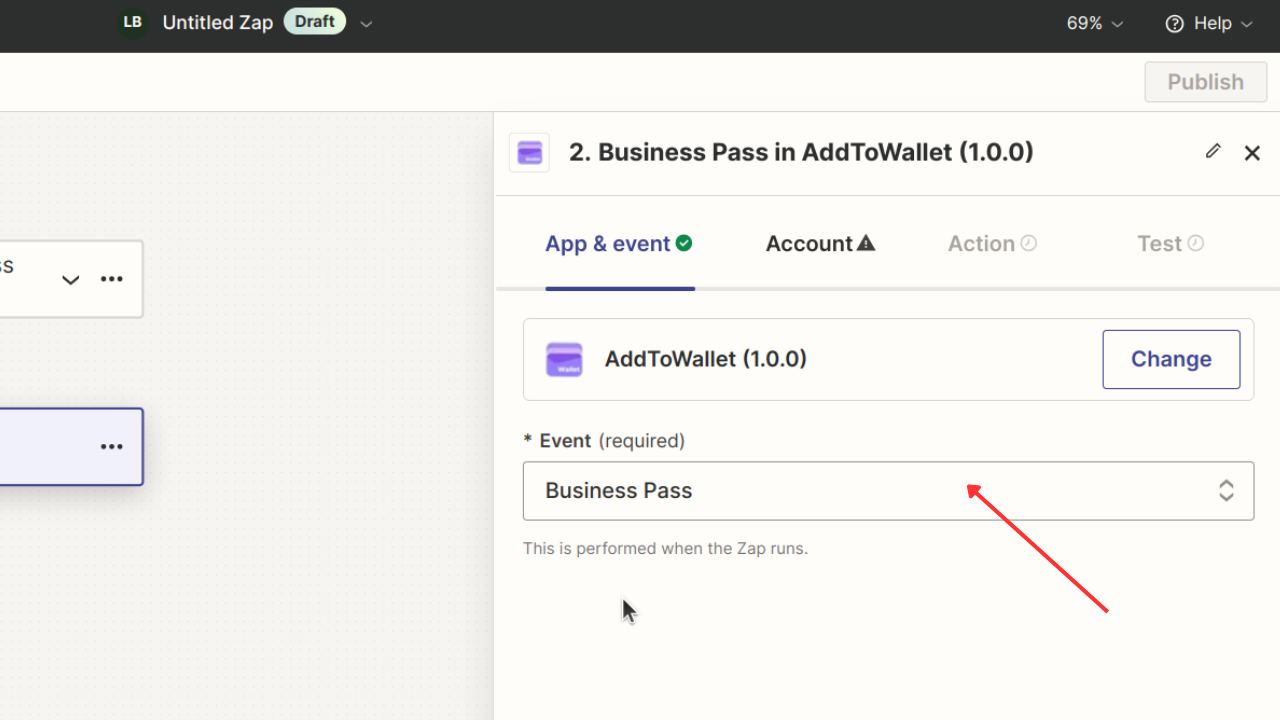
2) In the App and Event section, select Business Pass.
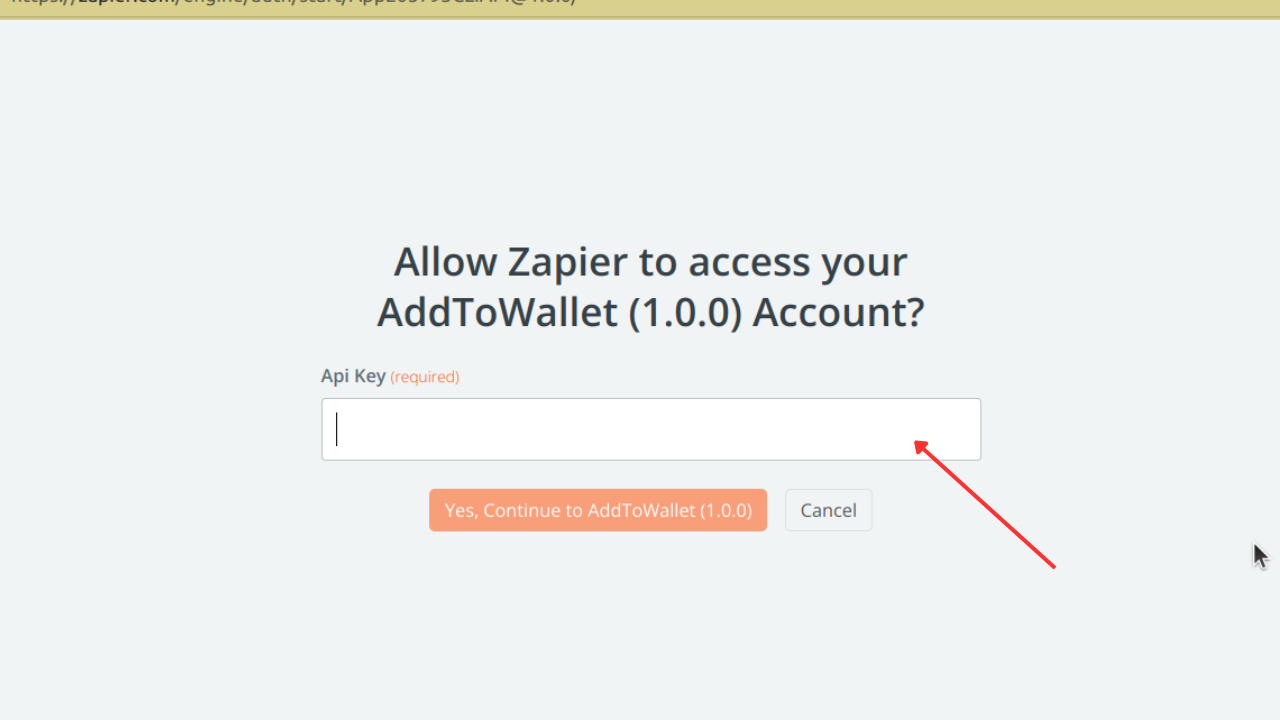
3) Click on Account and connect by entering the API key from your AddToWallet dashboard.
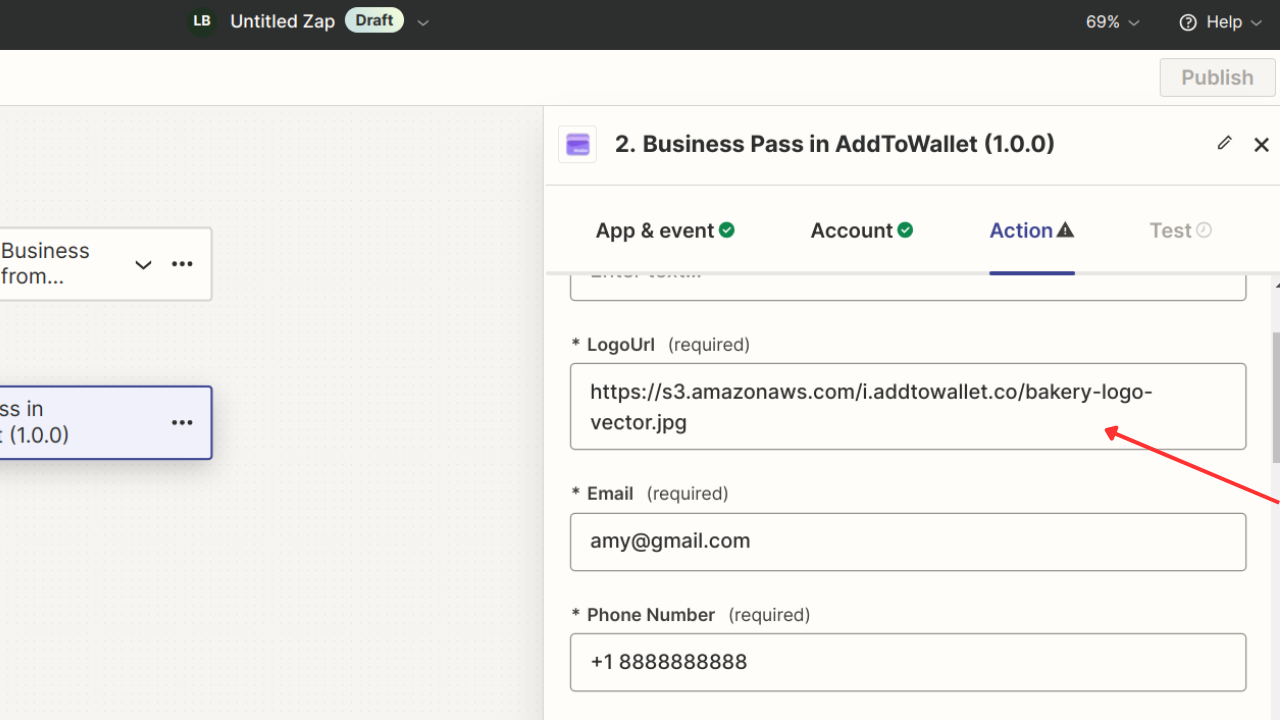
4) Click on the Action and edit the form according to your needs, such as Email, Phone Number, and Background.
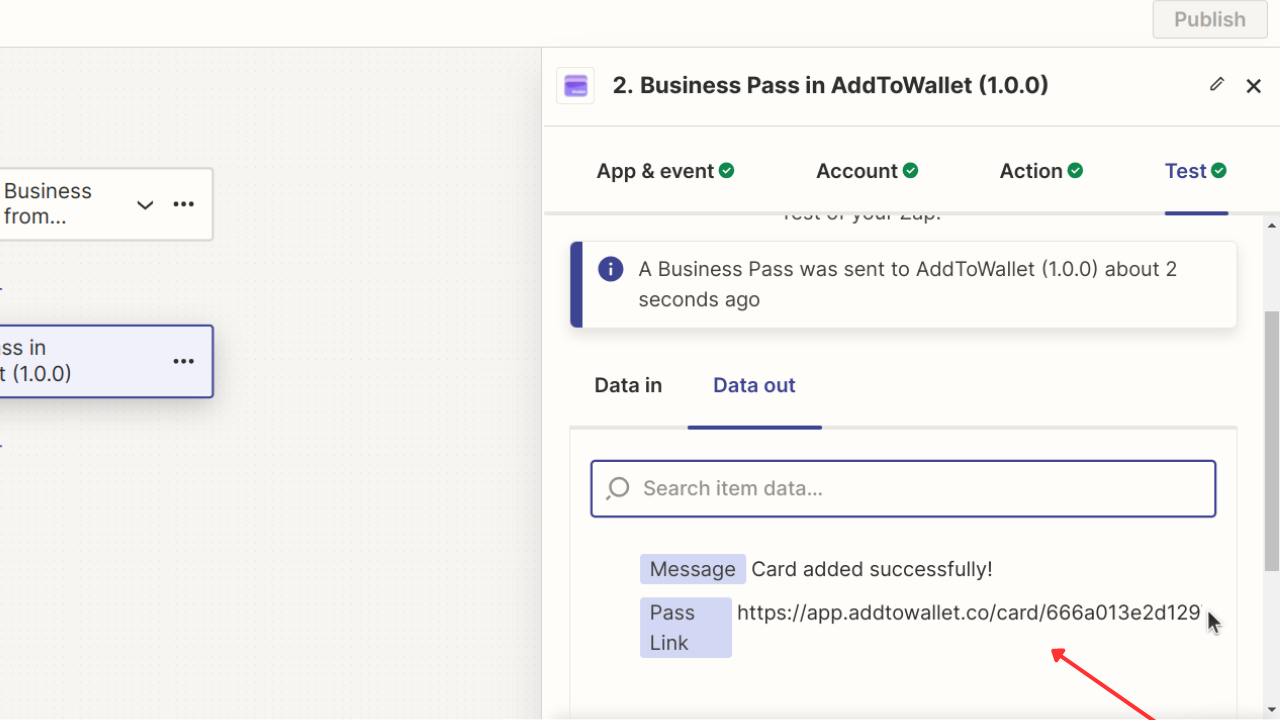
5) Once the action is executed, you can use the Pass Link as needed.
Powered by AddToWallet
Get Started For Free
Join the expanding network of more than 10k+ users
No credit card needed to start trial
addtowallet.co © All Rights Reserved