Digital Loyalty Cards for Apple & Google Wallet
By AddToWallet TeamPublished Updated 3 min read
AddToWallet enables brands and loyalty program providers to design and distribute digital loyalty cards that customers can easily save to their Apple Wallet or Google Wallet apps.
Launch Your Wallet Loyalty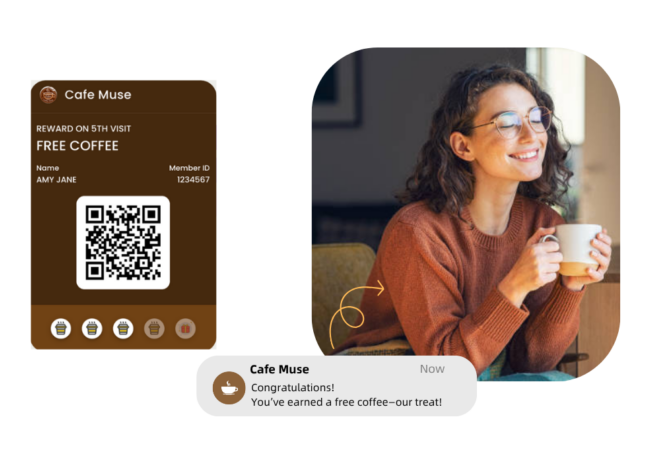
Why AddToWallet?
Why go digital with loyalty cards?
Switching from physical to digital loyalty cards with AddToWallet offers numerous benefits through Apple Wallet and Google Wallet. Here's why it’s a smarter choice:
Always Accessible
Customers can access their digital loyalty cards anytime on their smartphones—even without an internet connection.
Seamless Distribution
Distribute loyalty cards instantly via email or web forms—no printing or shipping required.
Direct Engagement
Reach customers instantly with attention-grabbing notifications delivered directly to their lock screens via both Apple Wallet and Google Wallet.
Instant Updates
Keep your loyalty cards current with real-time updates on rewards, point balances, promotions, and redemption status.
Simplified
Experience
No more bulky wallets. Customers enjoy the convenience of having all their loyalty cards stored digitally i
Eco-Friendly Choice
Go green by eliminating the need for plastic cards and reducing environmental waste.
Pass Distribution
Distribute Digital Loyalty Pass
Email Distribution
Effortlessly deliver personalized digital loyalty cards via email using our seamless integrations. Generate issuance links with dynamic tags to tailor each card to the individual recipient at the time of sending.
Form Distribution
Simplify customer enrollment with custom-branded sign-up forms. These forms can be embedded into emails or websites, allowing customers to join your loyalty program and instantly receive their personalized digital cards upon submission.
Benefits
How AddToWallet Delivers Value
For Brands
More affordable than developing a standalone mobile app
Encourages higher customer adoption thanks to easy access and storage
Seamlessly integrates with existing digital marketing efforts
Boosts foot traffic through location-triggered notifications
For Loyalty Program Vendors
Gain a reliable mobile wallet partner to support market entry
Unlock new revenue streams with digital loyalty card options
Help sales teams reconnect with clients using fresh offerings
Increase brand adoption by offering a cost-effective alternative to physical cards
1. Store Visit
A customer joins your loyalty program during a visit.
2. Card Delivery
The business sends the digital loyalty card via SMS, email, or another method.
3. Smart Link Access
The customer clicks a universal smart link to access their loyalty card.
OR
Issuance Form
The customer fills out a form with their details and receives a link to their personalized loyalty card.
4. Device Detection
The link automatically detects the customer’s device and directs them to Apple Wallet or Google Wallet.
5. Added to Wallet
The loyalty card is saved directly to the customer’s mobile wallet.

6. Earning Rewards
As the customer shops, their card updates automatically with points, rewards, and status changes.