


































How-to
AddToWallet Order Pass App on Shopify
By AddToWallet TeamPublished Updated 2 min read
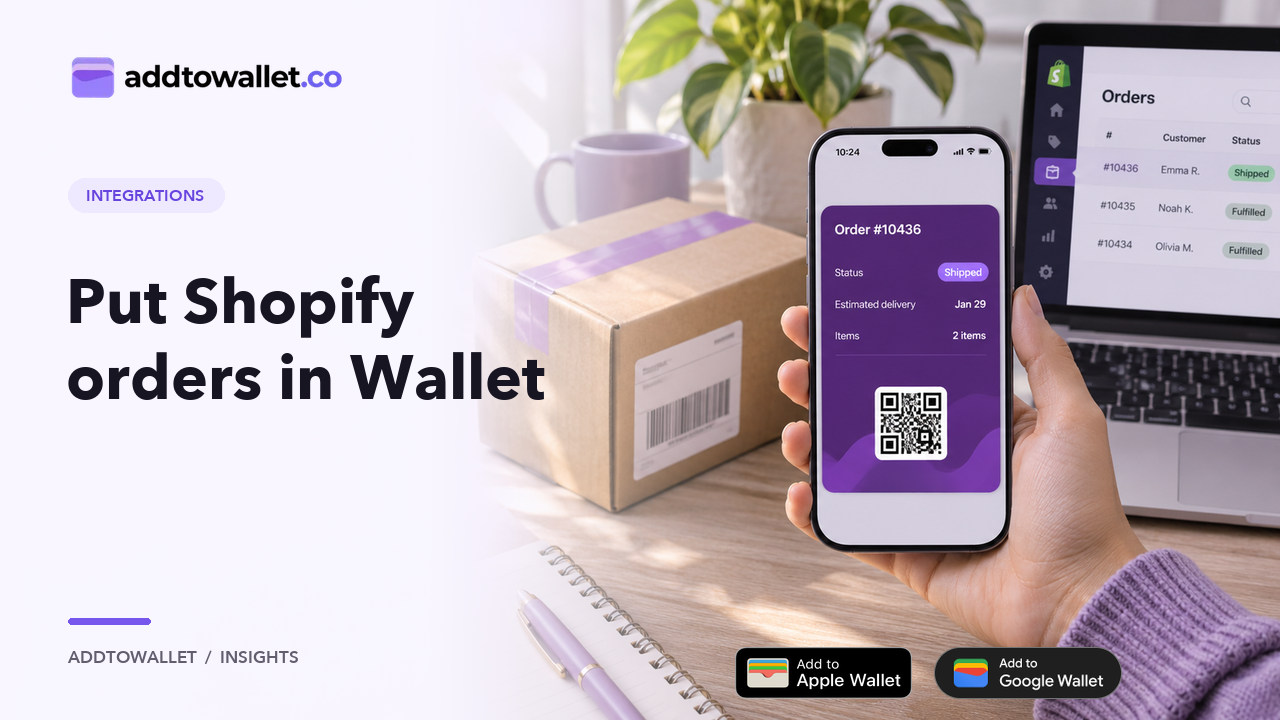
Install AddToWallet Order Pass from Shopify. After checkout, customers get an Apple Wallet order pass that updates when you fulfill or cancel.
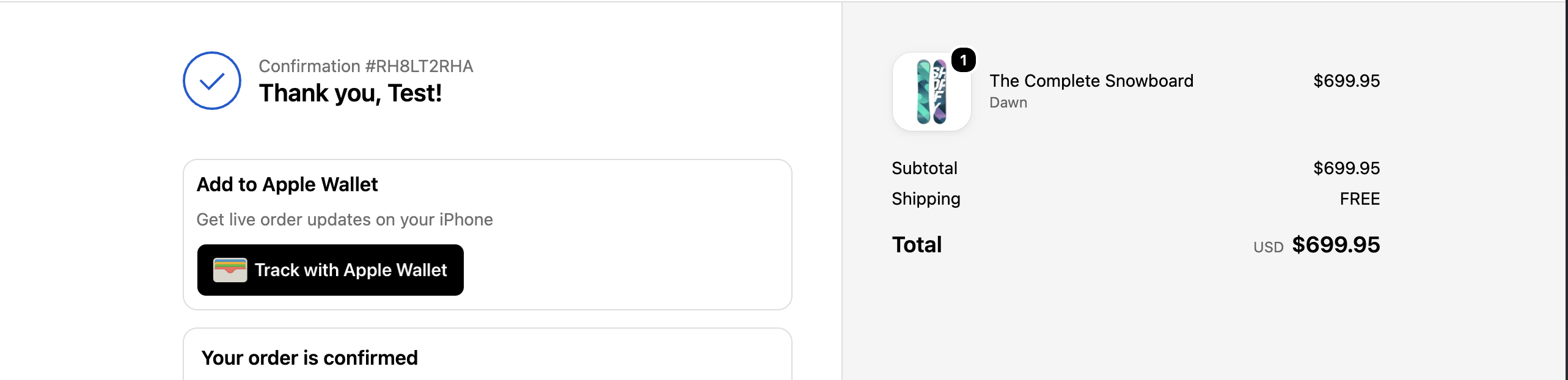
Installing the app does not add the checkout button. Connect in the app, then add the block on Thank you and Order status.
1. Install
- Shopify admin → Apps
- Search AddToWallet Order Pass → Install
- Open the app
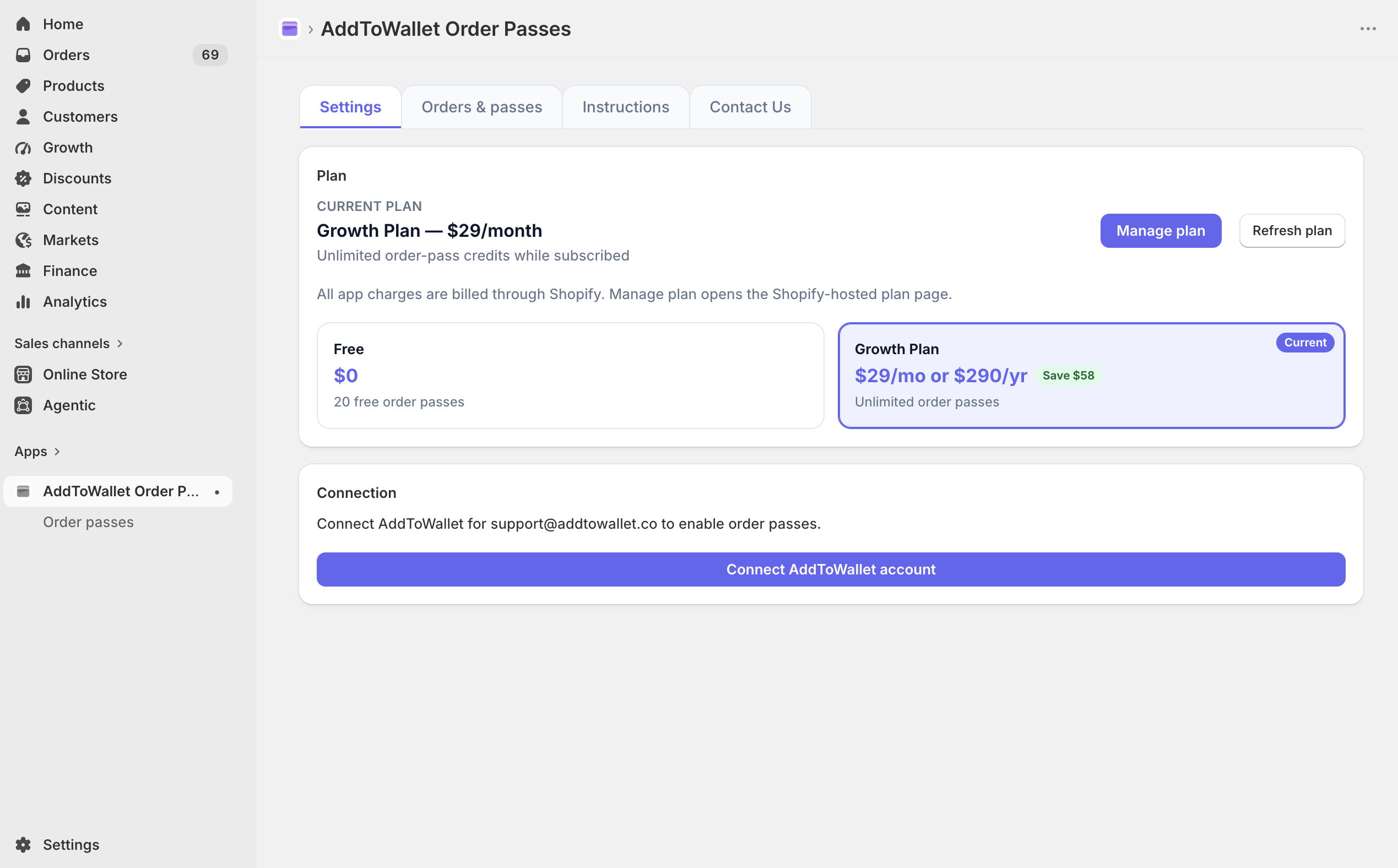
2. Connect
Open the app → Settings → Connect AddToWallet account.
That one click connects AddToWallet from Shopify. You do not need to sign up on addtowallet.co or paste an API key.
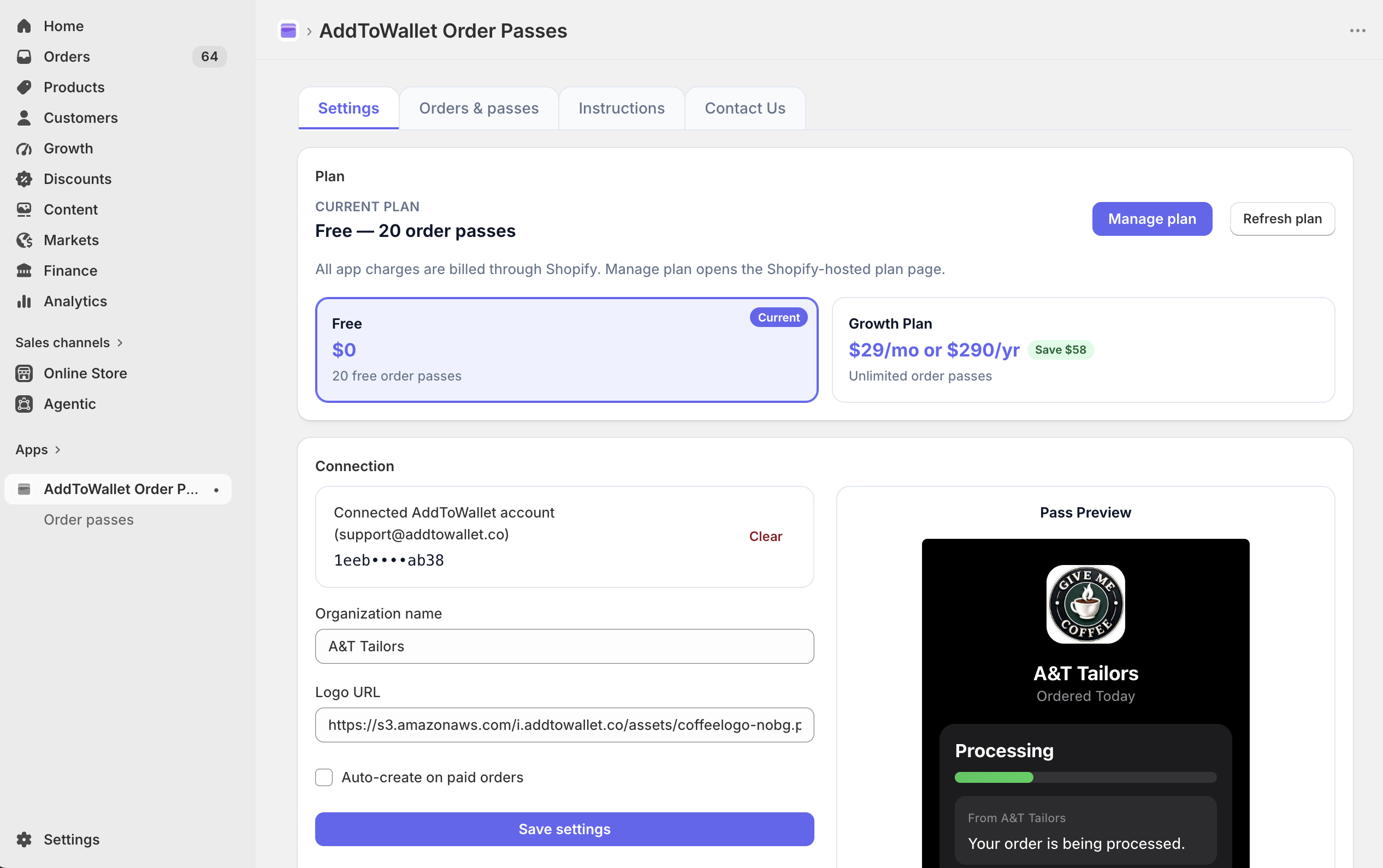
3. Store name and logo
- Organization name
- Logo URL
- Save settings
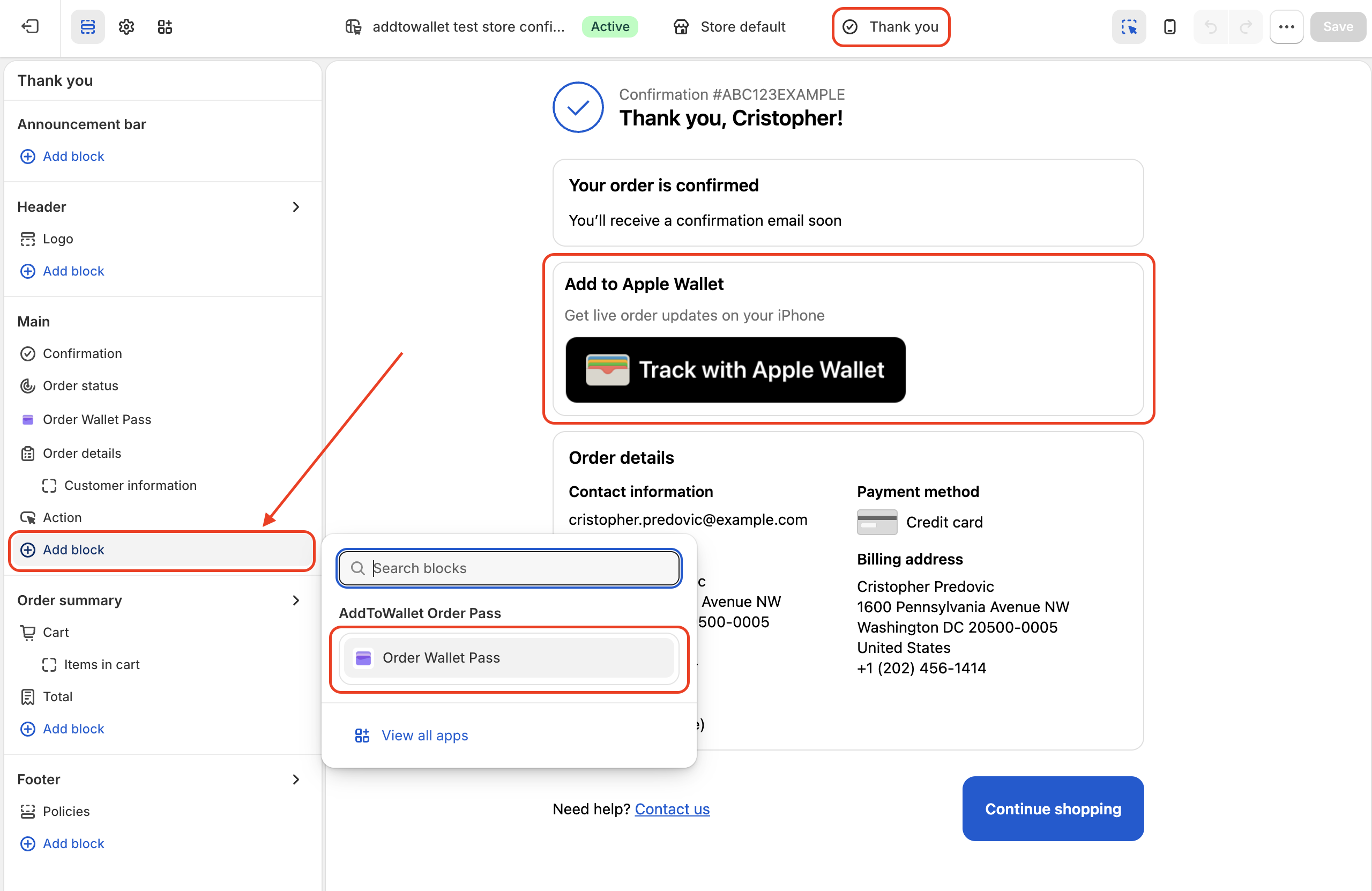
4. Add the checkout block
Settings → Checkout → Customize.
Thank you
- Open Thank you
- Add app block → Order Wallet Pass
- Save
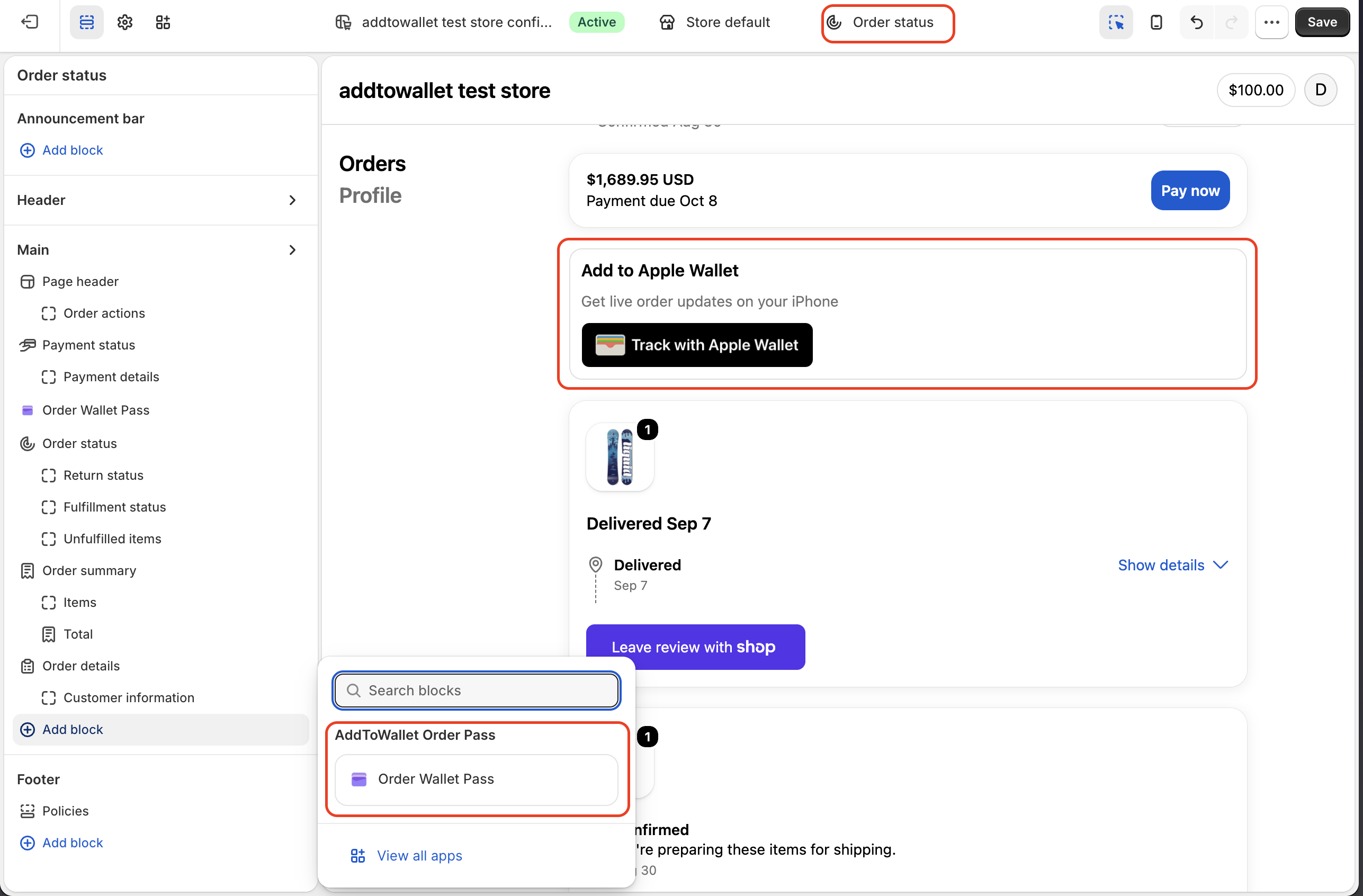
Order status
Reloads, email links, and Shop Pay open Order status, not Thank you. Add the same block there.
- Open Order status
- Add app block → Order Wallet Pass
- Save
Open the app once after install so the App URL syncs. Leave the block’s App URL field blank.
5. Place a paid test order
- Complete a paid test checkout
- On Thank you, Track with Apple Wallet shows immediately
- Check Orders & passes in the app