
How to Secure Wallet Passes with Access Code Protection
Not every wallet pass should be open for anyone to save. With addtowallet.co, you can add an Access Code to keep your passes private so only the people you choose can save them. Whether it's a VIP ticket, a membership, or a one-time offer, here's how to lock your pass behind a simple code.
Restrict Sharing & Add an Access Code
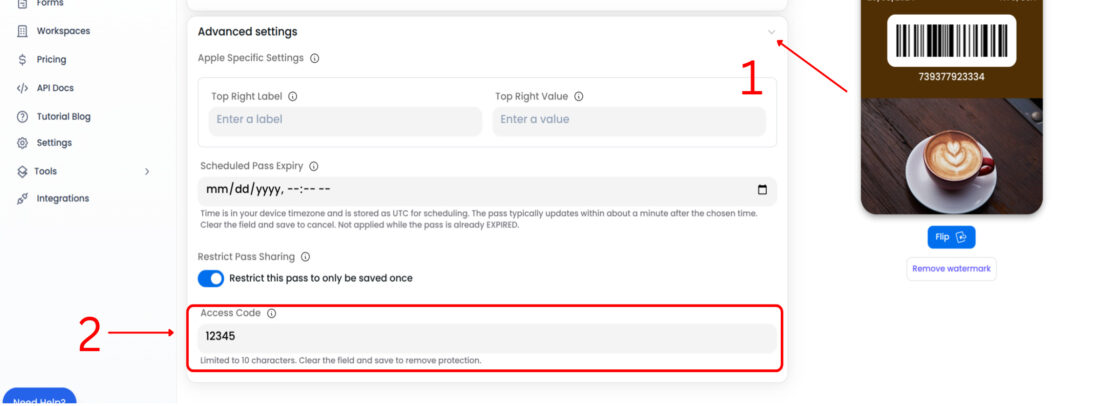
Go to Advanced Settings and enable Restrict Pass Sharing. This limits each user to saving the pass only once. You can also set an Access Code, so the pass can only be saved by entering that code.
Create Your Wallet Pass
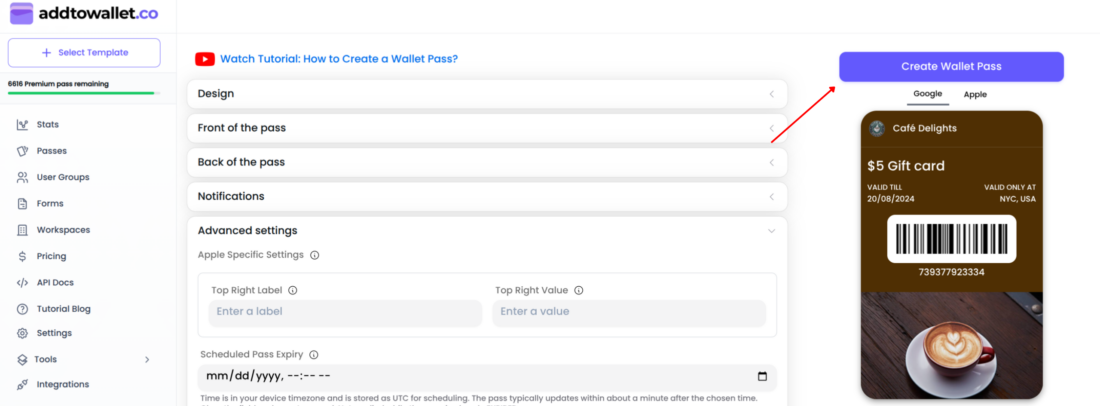
Once you're satisfied with the design, click Create Wallet Pass.
Accessing a Protected Pass
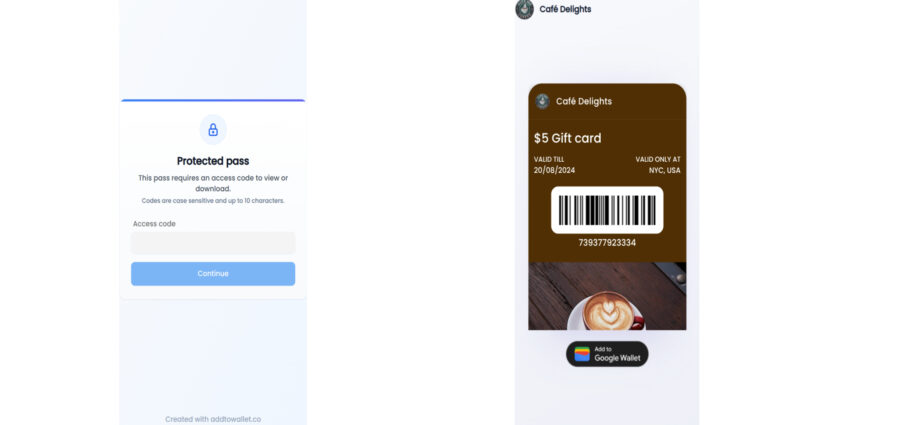
Open the pass link. You'll be prompted to enter your access code
Once you enter the correct code, you'll be able to save your pass.
That's all it takes to protect a wallet pass with addtowallet.co. With an Access Code in place, only people who enter the correct code can save your pass giving you full control over who gets access. Ready to secure yours? Create your pass for free and share with confidence.
Get Started For Free
Join the expanding network of more than 10k+ users
No credit card needed to start trial
addtowallet.co © All Rights Reserved