
Wallet Pass Generator for Google Sheets
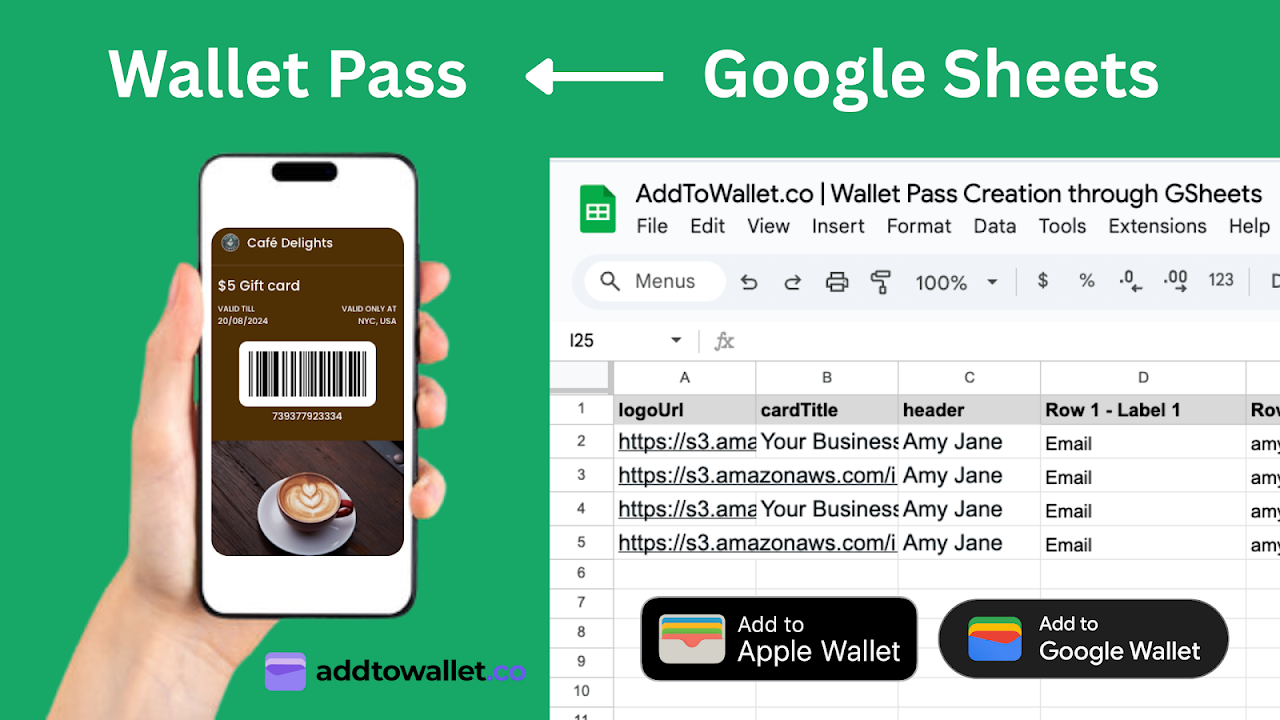
The new Wallet Pass Generator | AddToWallet.co add-on lets you turn any spreadsheet into a pass factory, event tickets, coupons, memberships, loyalty cards, and more. Fill your sheet, run the add-on, and get wallet ready links in seconds.
It's perfect for teams that already live in Google Sheets and want a fast, scalable way to issue passes to customers, students, members, or attendees.
How it works
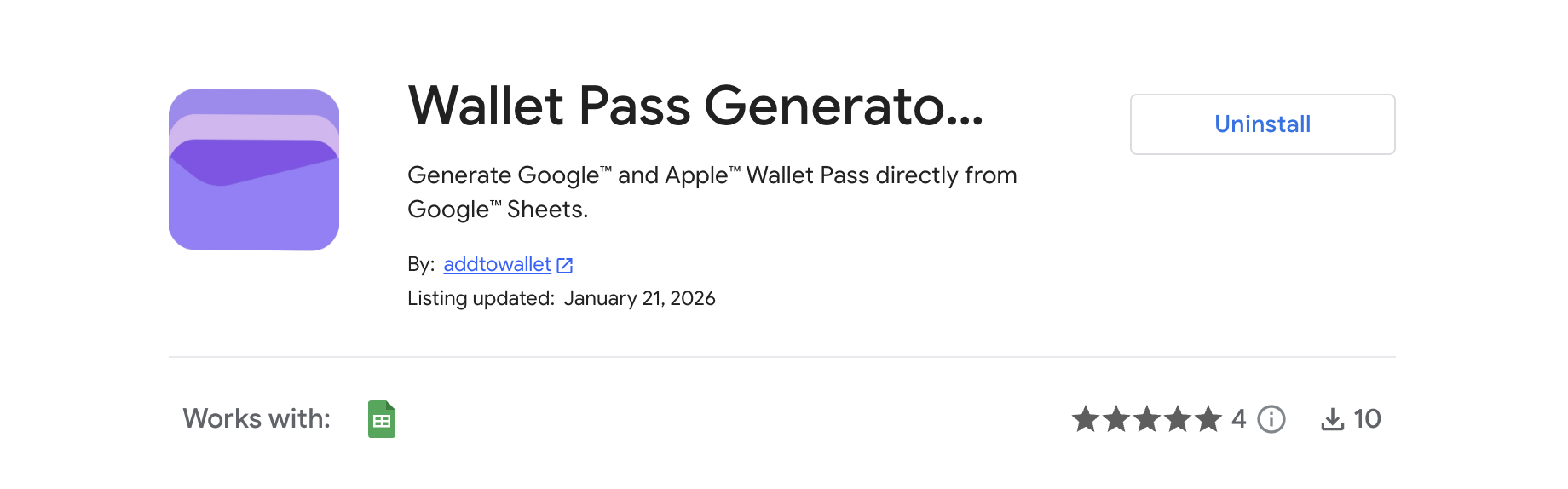
1. Install the Wallet Pass Generator | AddToWallet.co add-on from the Google Workspace Marketplace.
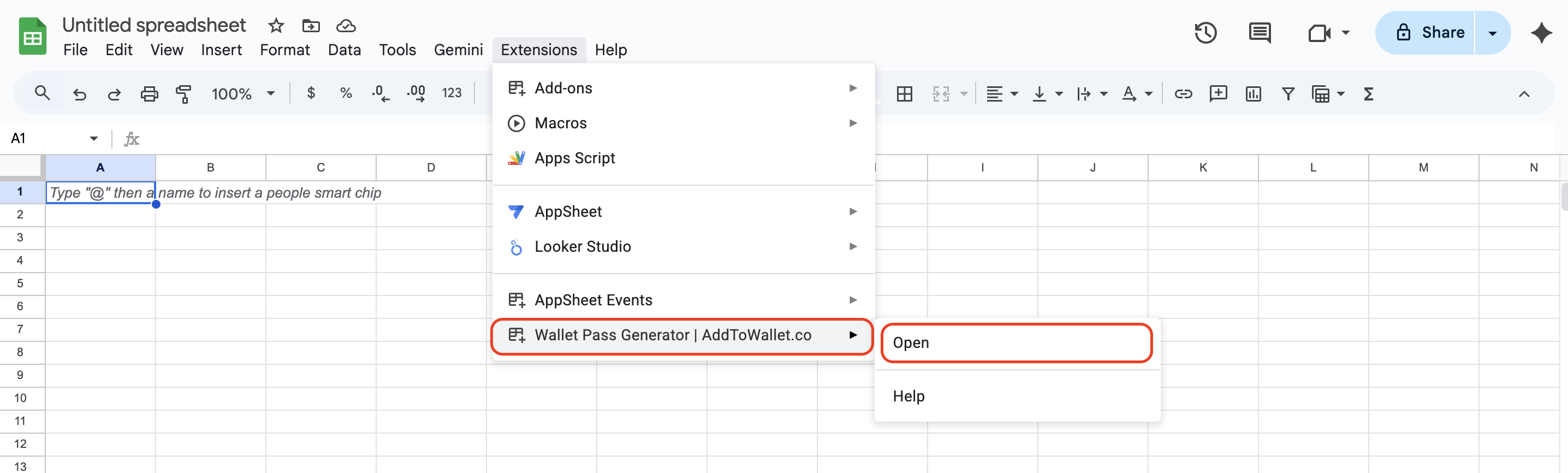
2. In your Google Sheet, go to Extensions → Wallet Pass Generator | AddToWallet.co → Open to launch the sidebar.
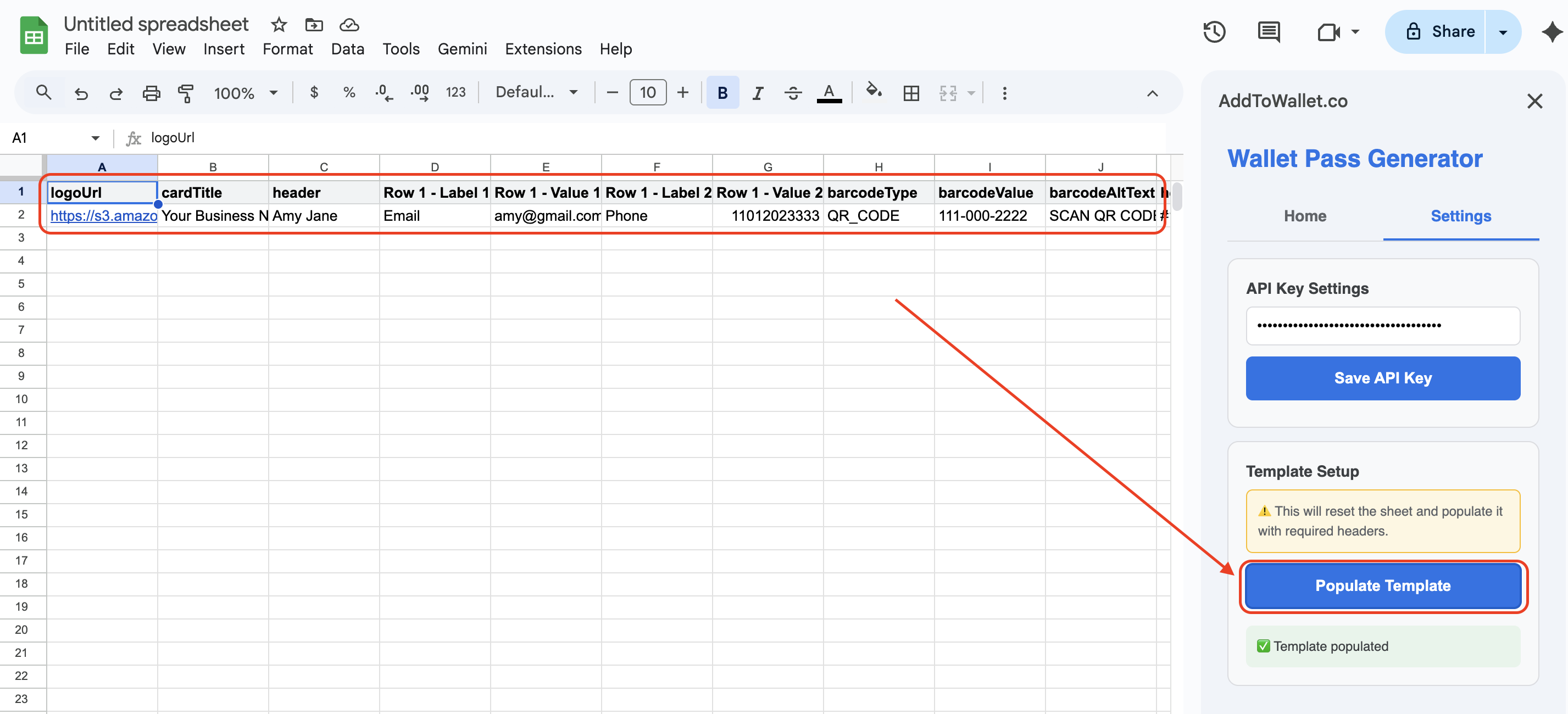
3. In the Settings tab, paste and save your API key.
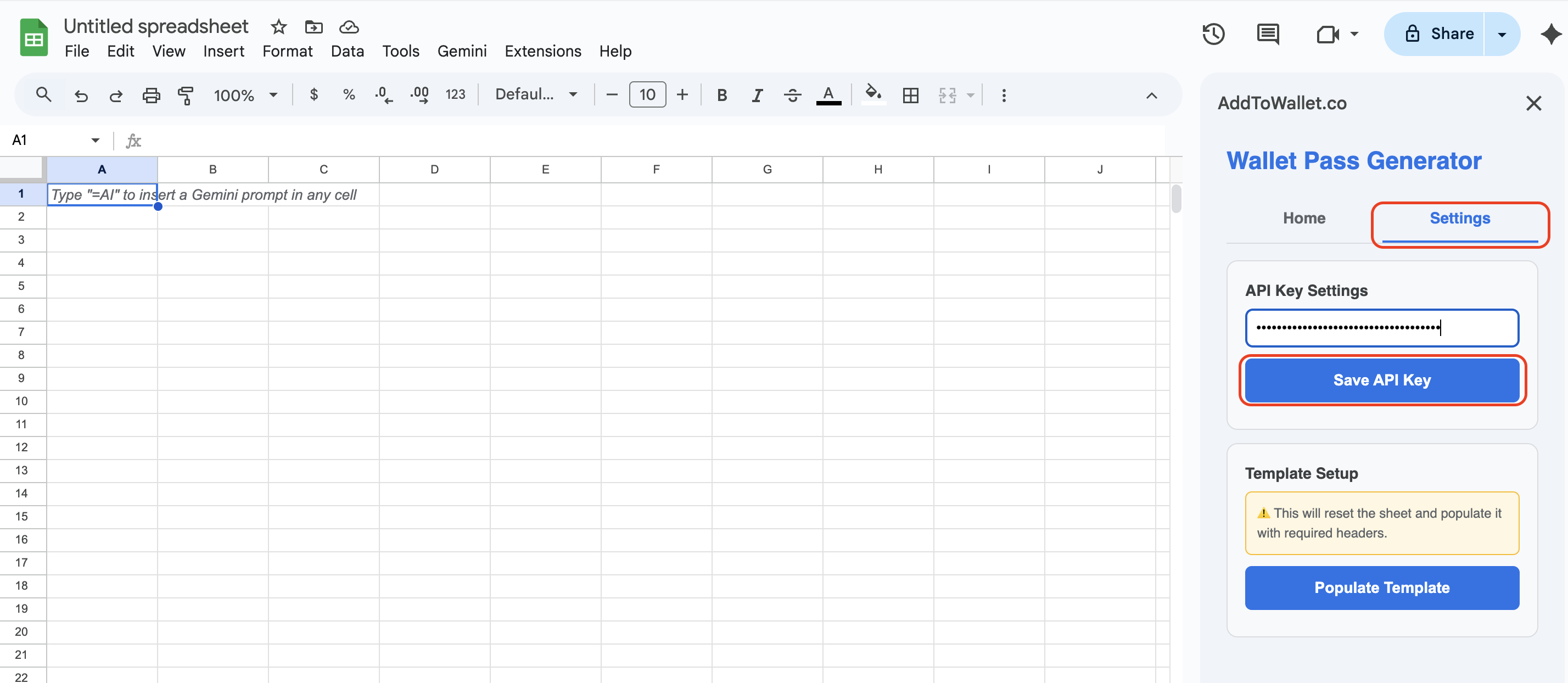
4. Click Populate template in the Settings tab to load your wallet pass template.
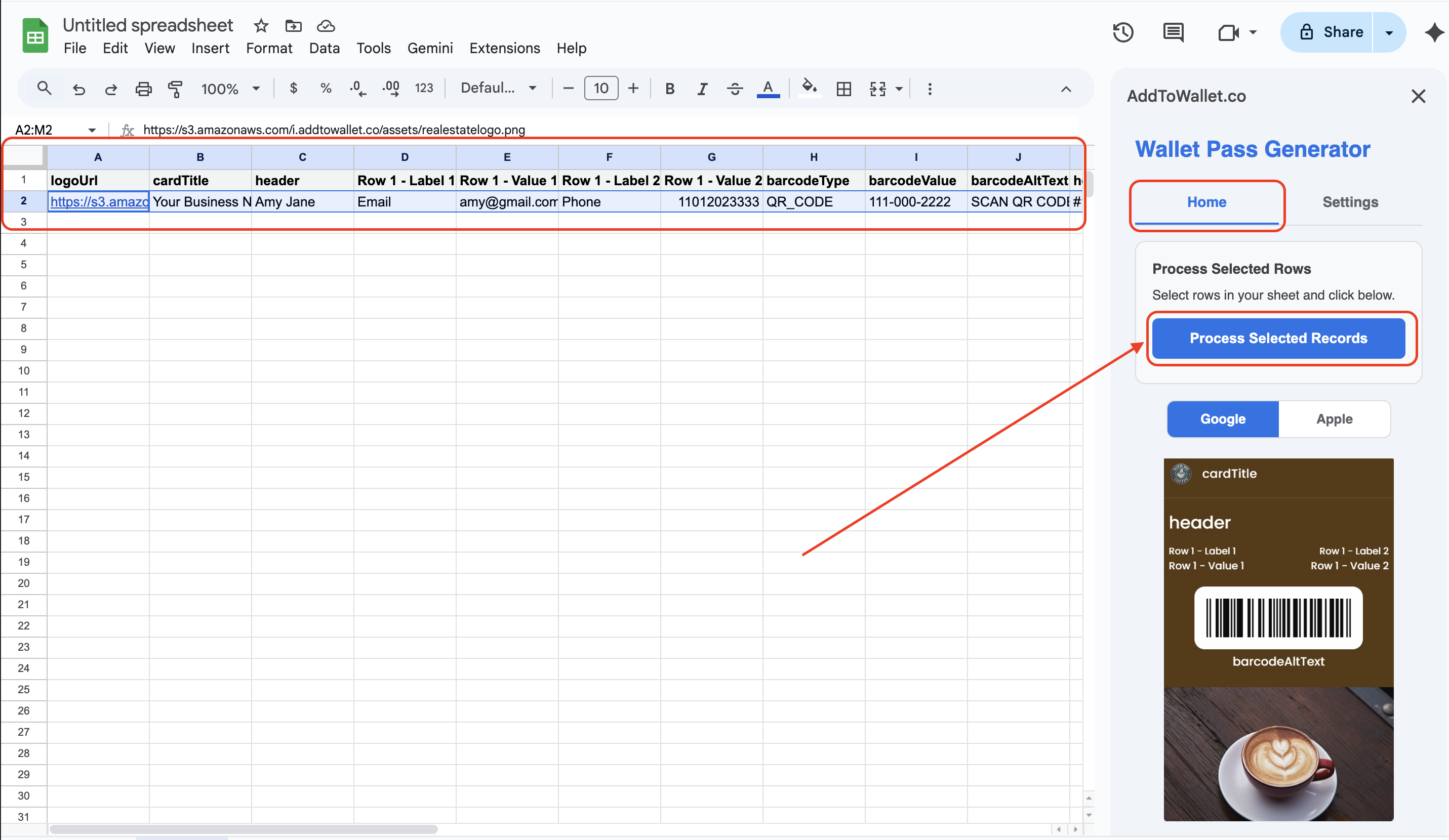
5. In the Home tab, select the rows you want to create passes for and click Process selected records.
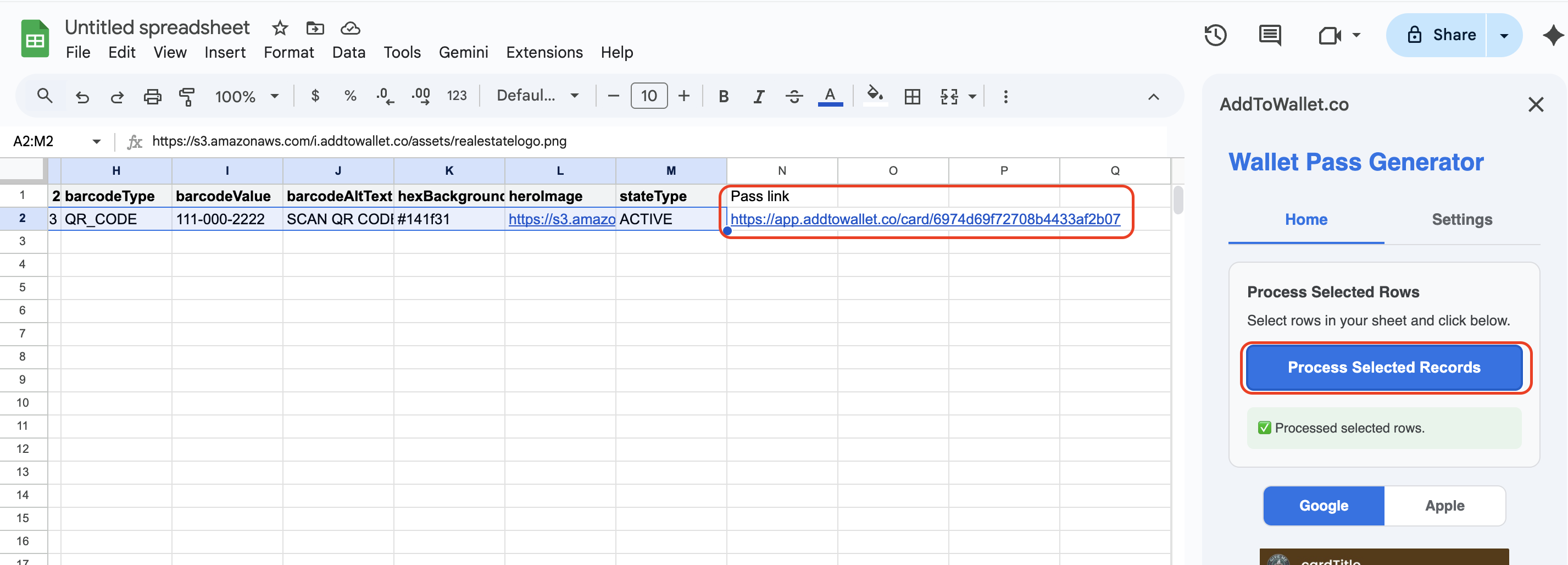
6. The generated pass links will appear in the Pass link column of your sheet.
Why teams love this workflow
- Stay in Sheets – use the tool your team already knows, no new system to learn.
- Bulk pass generation – create hundreds or thousands of passes in a single run.
- Consistent branding – keep your logos, colors, and layouts in synced templates.
- Instant distribution – share links directly from your sheet, via email, or as QR codes.
Have questions or want help setting up your first sheet? Reach us at [email protected].
Get Started For Free
Join the expanding network of more than 10k+ users
No credit card needed to start trial
addtowallet.co © All Rights Reserved